OmniSync

Desktop workspace launcher

Development.
Unified.

OmniSync connects your local repositories, Git remotes, and development tooling into one desktop dashboard, built for macOS with Electron and Next.js. Free and open source.

OmniSync workspace dashboard with file tree, editor, and git timeline
Workspace

5 views

Workspace, Git Sync, Diagnostics, Timeline, and Settings in one sidebar.
Git Sync

3-pane

Merge conflict resolver with yours, theirs, and result side by side.

Dev runner

Live

Dev server runner with real-time stdout and stderr in the console.

Keychain

Secure

GitHub credentials encrypted and stored in the macOS keychain.

Workspace Launcher

Pick a project. Launch in seconds.

On first launch, OmniSync walks you through GitHub OAuth or token login, then lets you clone a remote repository or register an existing local folder as a workspace profile.
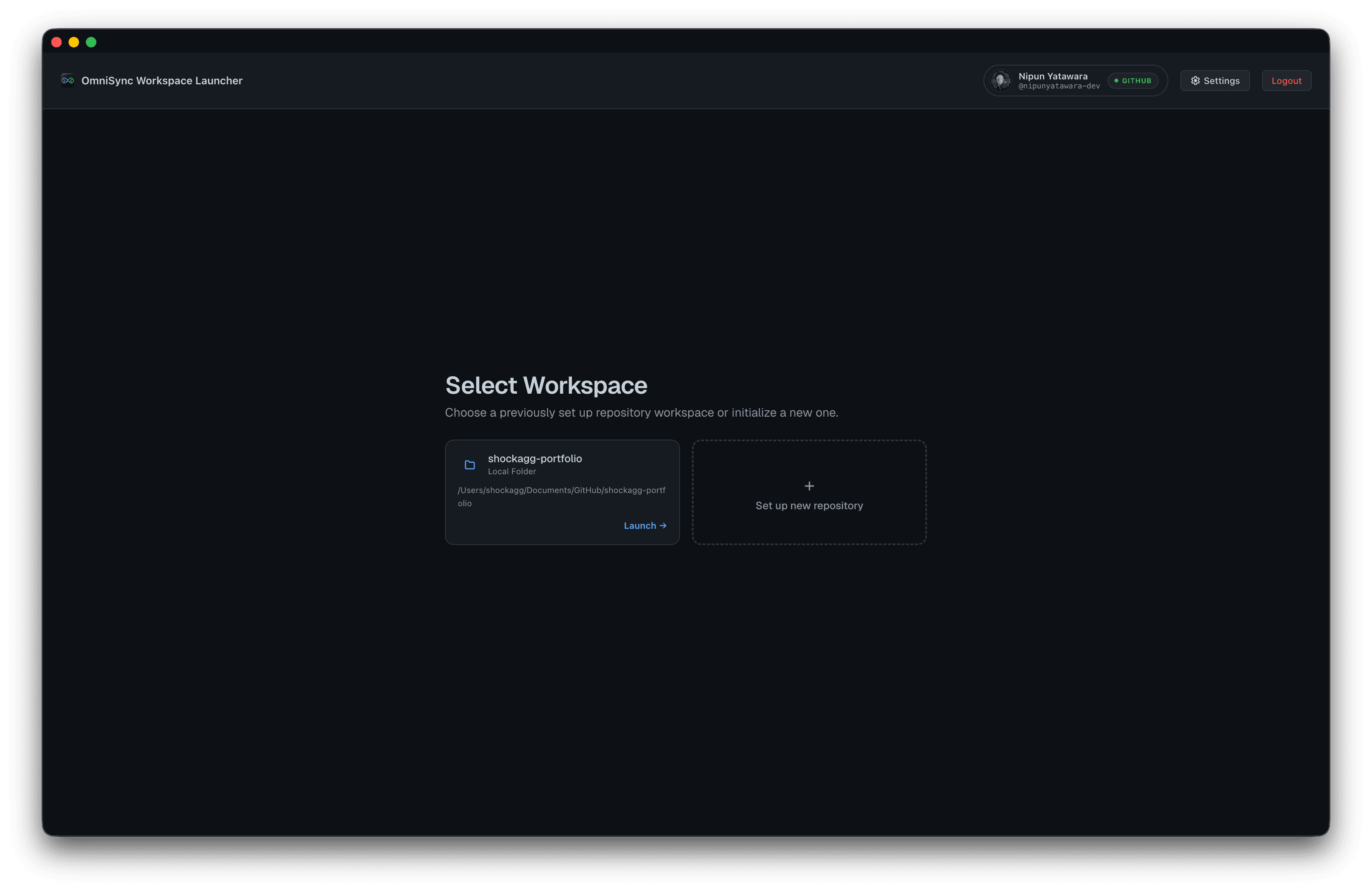
  • Multi-workspace profiles with one-click switching
  • Clone from GitHub or point at a local folder
  • GitHub-connected badge and secure credential storage
  • Setup wizard redirects straight to the dashboard
OmniSync workspace launcher with project selection

Workspace

Browse, edit, and review without leaving the dashboard.

The workspace view gives you a live-scanned file tree, tabbed editor with Markdown preview, resizable panels, and a commit timeline with per-file diff analysis.

  • File tree with instant open and syntax-aware viewer
  • Markdown rendering for documentation files
  • Drag dividers to fit your preferred layout
  • Commit timeline and line diff analyzer in the right column
OmniSync workspace with file tree, code editor, and git timeline

Git Sync

Stay oriented relative to your remote.

List local and remote branches, see commits ahead and behind upstream, and resolve merge conflicts with an interactive three-pane editor.
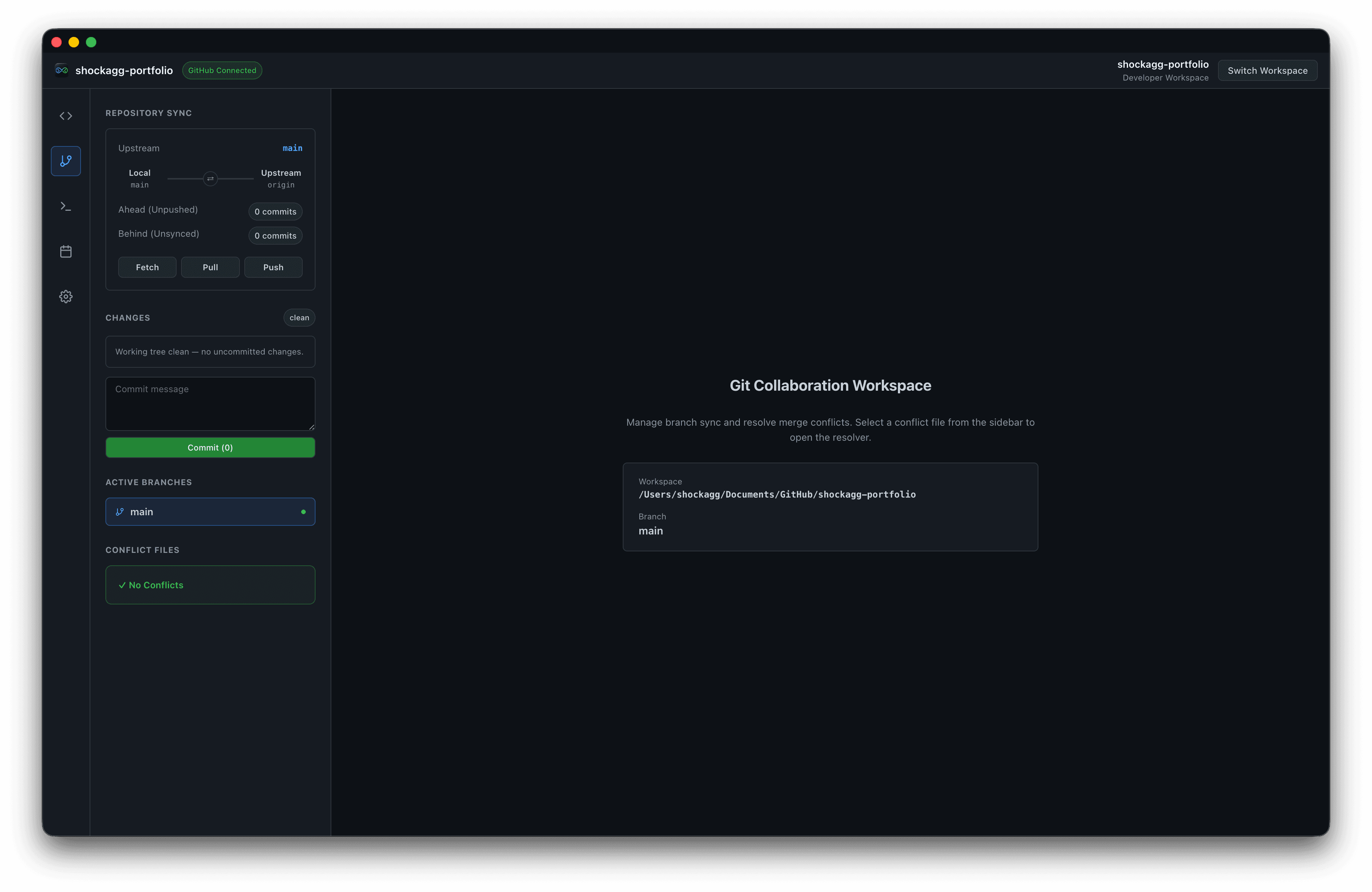
  • Fetch, pull, and push from a single panel
  • Ahead and behind counters for every branch
  • Automatic scan for merge conflict markers
  • Accept blocks individually to build the resolved file
OmniSync Git collaboration workspace with branch sync controls

Diagnostics

Know your environment is ready to run.

The diagnostics scanner verifies Node.js against package.json engines, checks node_modules integrity, audits git health, and surfaces one-click repair scripts.
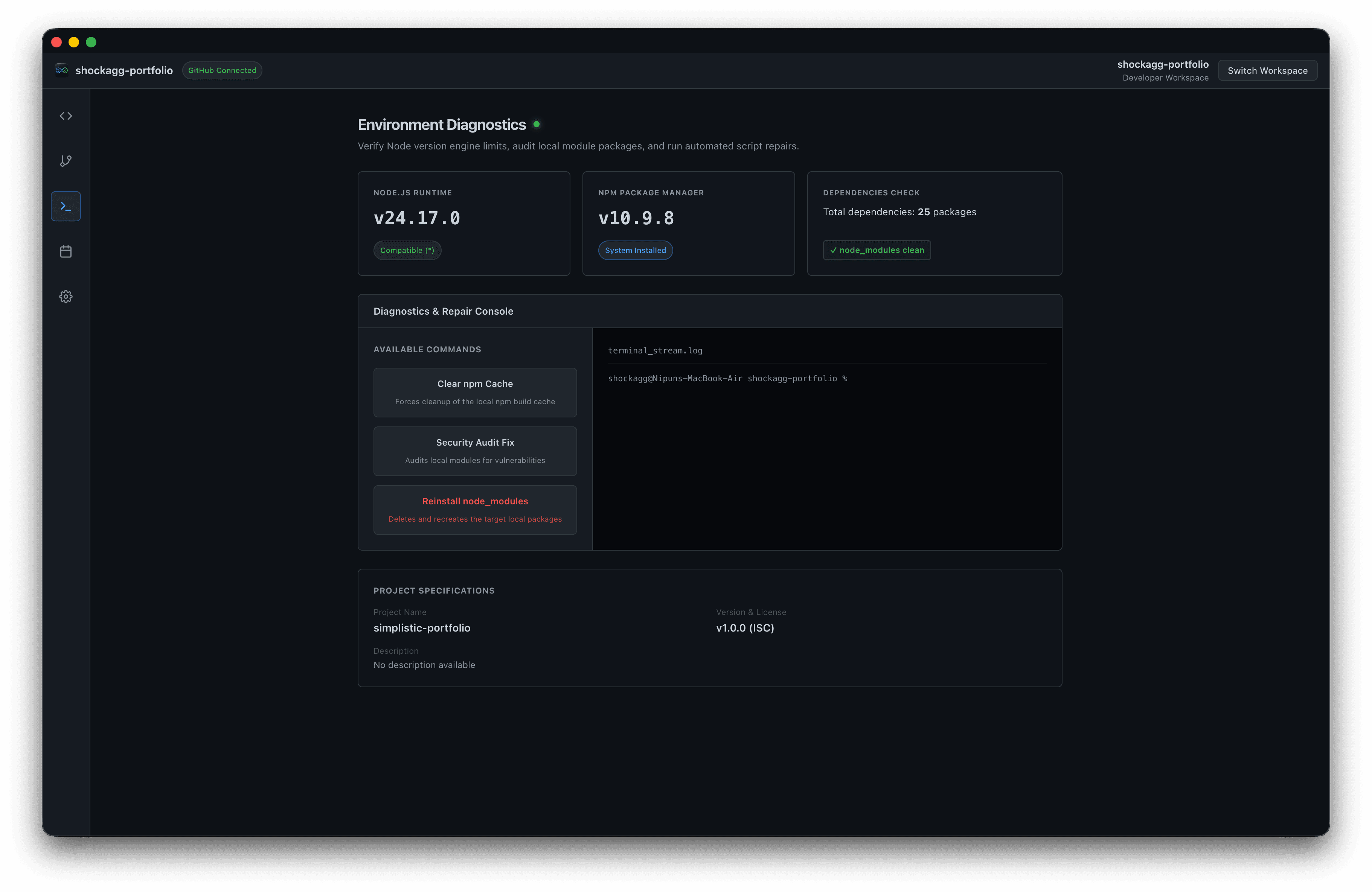
  • Node.js version vs. engines.node compatibility
  • Missing dependency detection and install triggers
  • Clear npm cache, security audit fix, and reinstall scripts
  • Live terminal stream for repair output
OmniSync environment diagnostics with repair console

Timeline

See your repository history at a glance.

A GitHub-style contribution heatmap maps commits, merges, and pushes across yearly, monthly, and daily views. Click any cell to drill into the details.
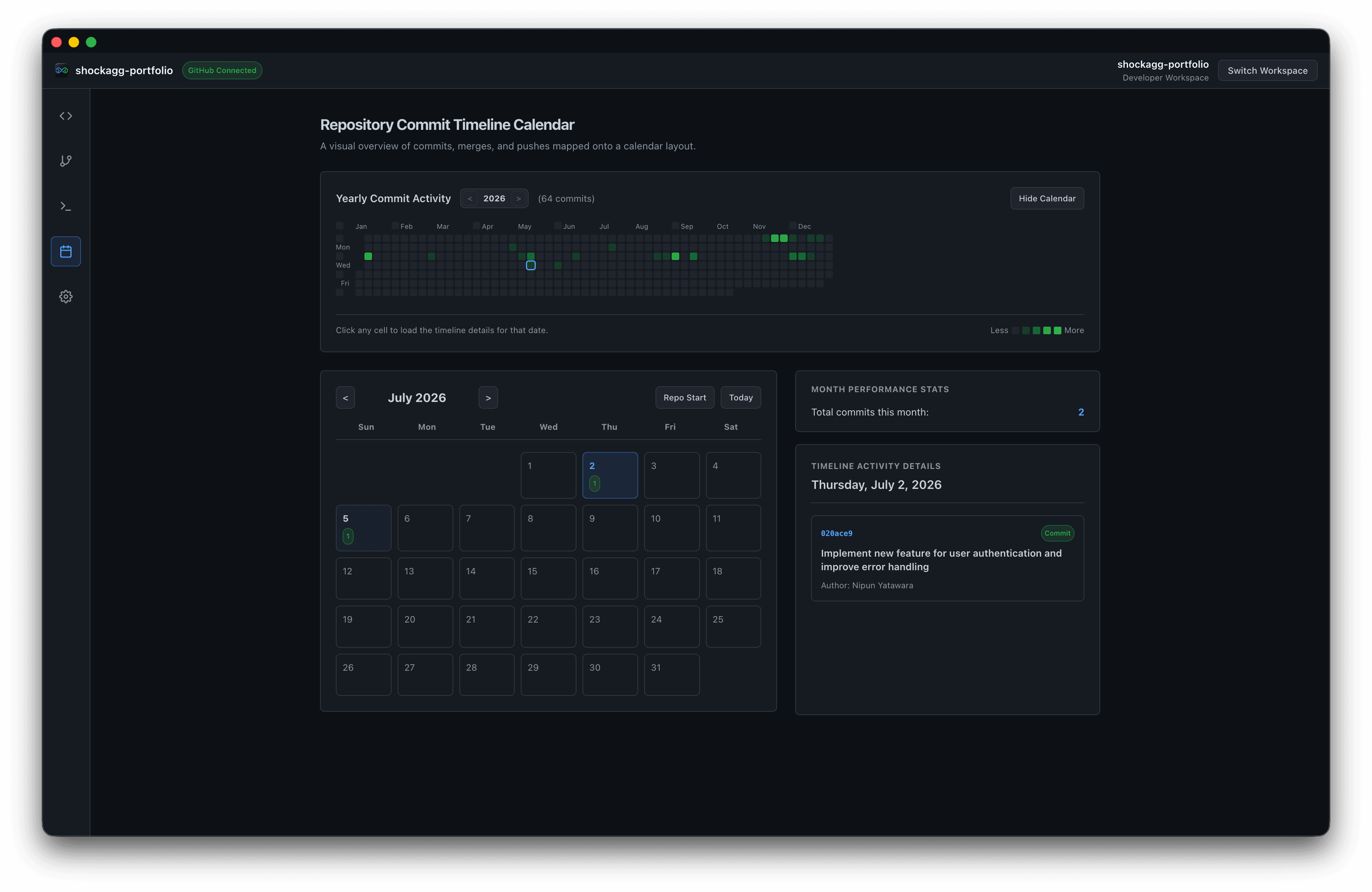
  • Yearly commit activity heatmap
  • Monthly calendar with per-day commit counts
  • Timeline activity details for selected dates
  • Month performance stats at a glance
OmniSync repository commit timeline calendar

Everything in one place

Your workspace hub,
down to a science.

OmniSync orchestrates your development environment. It doesn't replace your editor. Use it alongside the tools you already love.

Multi-workspace profiles

Switch between repositories in one click. Clone from GitHub or register an existing local folder.

Integrated dev runner

Start, stop, and monitor dev servers with live stdout and stderr, then launch in browser, Electron, or your IDE.

Three-pane conflict resolver

When merge conflicts appear, resolve them interactively with yours, theirs, and the result side by side.

Encrypted credentials

GitHub OAuth and personal access tokens stored securely via the macOS keychain.

Branch protection

Configure branch rules, auto-fetch, and custom run scripts per workspace from Settings.

Launch anywhere

Open projects in Cursor, VS Code, Xcode, IntelliJ, or a browser once your dev server is running.

Why OmniSync?

A unified workspace hub versus juggling separate tools for every repository.

OmniSyncCurrently viewing

  • Multi-workspace desktop dashboard
  • Git branch sync with ahead/behind status
  • Three-pane merge conflict resolver
  • Environment diagnostics & repair scripts
  • Commit timeline with heatmap calendar
  • Integrated dev server runner
  • Launch in browser, Electron, or IDE
  • Encrypted macOS keychain storage

Terminal + IDE

  • Manual context switching per repo
  • Separate git commands and GUIs
  • Manual conflict editing in files
  • Manual node/npm troubleshooting
  • External git log tools
  • Separate terminal for dev servers
  • Manual app launching
  • Tokens in shell env or config files

Ready to sync
everything?

Download OmniSync for macOS. Connect GitHub, pick a workspace, and launch your dev environment in minutes.

Get OmniSync free

macOS · Electron + Next.js · Free & open source